Translations are automatic. Report a translation problem.

paratext 9 icon version 9 4

What’s New in Paratext 9.4

Paratext 9.4 released Dec 11, 2023

paratext 9 icon version 9 4

Page Contents

What's New Videos

Main Menu | What's New in 9.4

Main Menu | What's New in 9.4

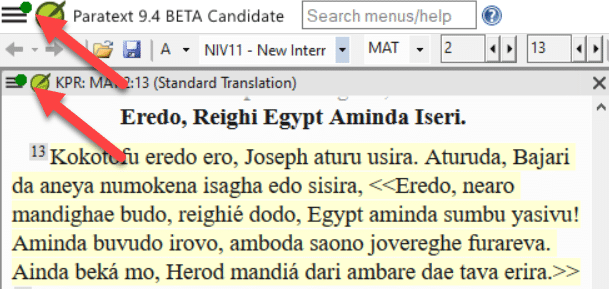
Paratext 9.4 has a way to notify users of updates to projects or resources. Managing window layouts has also been improved.

Project Menu | What's New in 9.4

Project Menu | What's New in 9.4

New/Improved options in Project menu: create PDF with PTXprint, open base project for derived projects, show/hide project notes, and improved “Insert Table”.

Biblical Terms | What's New in 9.4

Biblical Terms | What's New in 9.4

Paratext 9.4 allows users to import/export custom Biblical terms lists, and manage their imported lists.

Right-to-Left, Enhanced Resources, & Parallel Passages | What's New in 9.4

Right-to-Left, Enhanced Resources, & Parallel Passages | What's New in 9.4

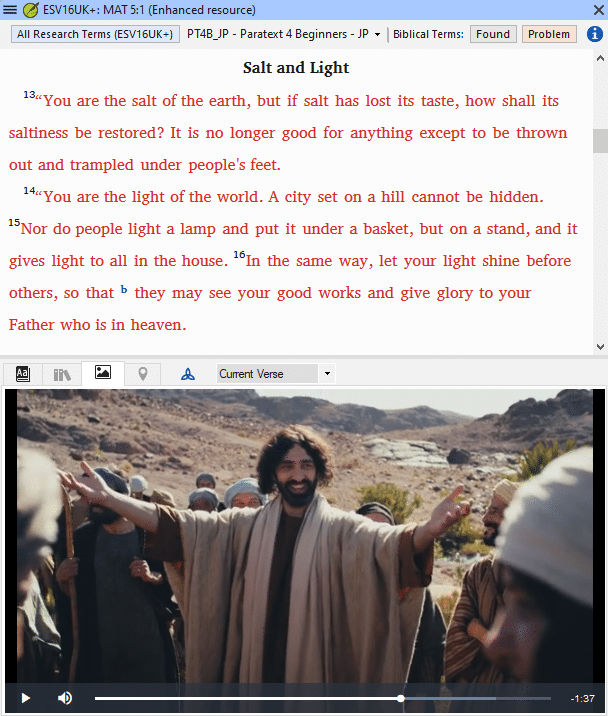
Paratext 9.4 has a much improved Right-to-Left interface, videos are now available in Enhanced Resources, and the color for matching text in the Parallel Passages tool has been updated.

Study Bible Additions | What's New in 9.4

Study Bible Additions | What's New in 9.4

Paratext 9.4 allows you to re-order cross-references, footnotes, and sidebars, as well as other less visible improvements. The entire team needs to upgrade to 9.4 in order to make use of these changes.

FieldWorks & Interlinearizer | What's New in 9.4

FieldWorks & Interlinearizer | What's New in 9.4

In Paratext 9.4, the connection between the Paratext Interlinearizer and FieldWorks (FLEx) has been improved. You can now have the Interlinearizer use glosses from FLEx, or prevent the Interlinearizer from using FLEx at all.

Quotation Types | What's New in 9.4

Quotation Types | What's New in 9.4

The new "Quotation Types" Basic Check knows where quotations should occur in the text based on Glyssen data and can ensure that they are all marked appropriately.

Additional Features | What's New in Paratext 9.4

Additional Features | What's New in Paratext 9.4

Additional features in Paratext 9.4 include the ability to handle alternate quotation marks, improved error reporting for reference checks, a new color set for comparing text, and the ability to access the base project from the interlinear menu.

How to Print a Draft: 4 - Booklet

How to Print a Draft: 4 - Booklet

Learn how to adjust settings in PTXprint to produce a ready-to-print booklet layout with correctly ordered pages.

How to Print a Draft: 5 - Reopen PDF to Reprint

How to Print a Draft: 5 - Reopen PDF to Reprint

Comment localiser rapidement et facilement le fichier PDF que vous avez précédemment créé avec PTXprint afin de pouvoir le rouvrir.

How to Print a Draft: 6 - Check for PTXprint Updates

How to Print a Draft: 6 - Check for PTXprint Updates

PTXprint is updated often as of early 2024, so it is worth checking frequently for updates. Learn how to do this quickly and easily.
What’s New in Paratext 9.4

Some Highlights

And Many More Improvements!

  • Added the ability to use FieldWorks dictionary with Paratext Interlinearizer. ▶ FieldWorks integration video demo
  • New/improved features in Study Bible Additions (SBA) projects:
    • Added the ability to change the ordering for cross-references, footnotes, and sidebars in SBA projects. ▶ Study Bible Additions video demo
    • Corrected handling of extended footnotes when extracting a legacy Study Bible.
    • Improved output of daughter project content when extracting a legacy Study Bible.
  • Added additional capability to “Manage layouts”. ▶ Main menu video demo
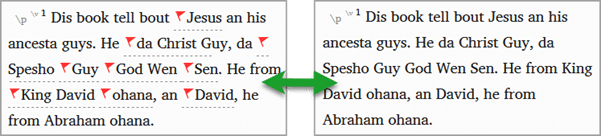
  • Made parallel passage matches easier to see.
  • New/improved items in the Project Menu (▶ Project menu video demo):
    • Exporting to PTXprint is now available from the project menu.
    • Improvements to “Insert table”.
    • Derived projects can open the base project.
  • Additional Features (▶ Additional Features video demo):
    • Improved Compare Versions to provide clear contrast between differences.
    • Ability to handle alternate quotation marks
    • Reference check gives more specific error messages
  • Assignments and Progress accepts familiar book codes (for example: “GEN”)
  • Enhanced Resource dictionary terms are no longer repeated
  • When you use “Give feedback”, Paratext will Mark a point in Project History
  • Scripture Burrito 1.0 import/export
  • Added the ability to recover corrupted XML file from history
  • Corrected handling of extended footnotes when extracting a legacy Study Bible.
  • Improved output of daughter project content when extracting a legacy Study Bible.
  • Improved checking for quotation mark continuers at paragraph boundaries.
  • Added compatibility for Arabic code points.
  • Various bug fixes

Compatibility with Previous Paratext versions

Paratext 9.4 is fully compatible with 9.0 – 9.3, although the new features will only be accessible from the newer versions. Paratext 9.4 will also work with Paratext 8, but we encourage you to upgrade to Paratext 9 as soon as possible.

However, the Study Bible Additions (SBA) features implemented in 9.4 requires that the SBA project be migrated, due to a data format change. The new 9.4 SBA data format is NOT compatible with the PT 9.3 version. In order to use the new SBA features, all project members should move to PT 9.4 and the project administrator should migrate the SBA project.

Note: If you had a previous version of Paratext installed, installing Paratext 9.4 will replace it.

Thank you for being supportive!

Please let us know how it goes for you. From within Paratext, you can go to the Paratext menu > Help > Give Feedback menu option, fill out the form, and click “Send” to let us know how we are doing. Your feedback is invaluable in identifying and fixing bugs. Positive feedback is also very valuable for team morale and for partnership development. So, please share your thoughts.

In July 2023 support.bible was launched. You can also use this site to ask questions and request support from the user community and developer team.

God Bless Your Translation Work!

We are grateful to the many translation teams who work hard to make the Word of God available to all people throughout the world. We hope this software will bless your work and help make Jesus known throughout the nations!

Soli Deo Gloria!

Yours in Christ,

The Paratext Development Team (UBS/SIL)